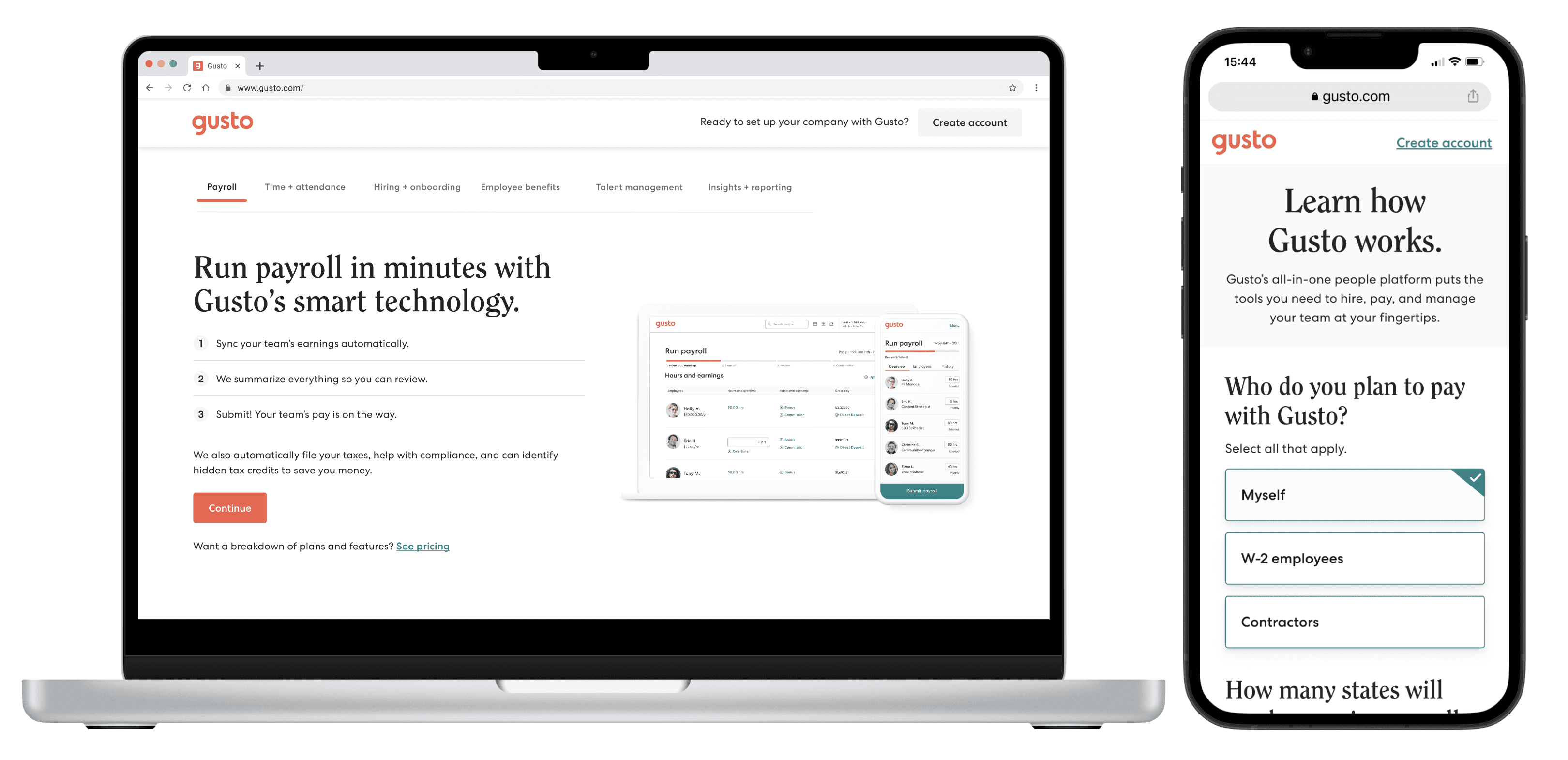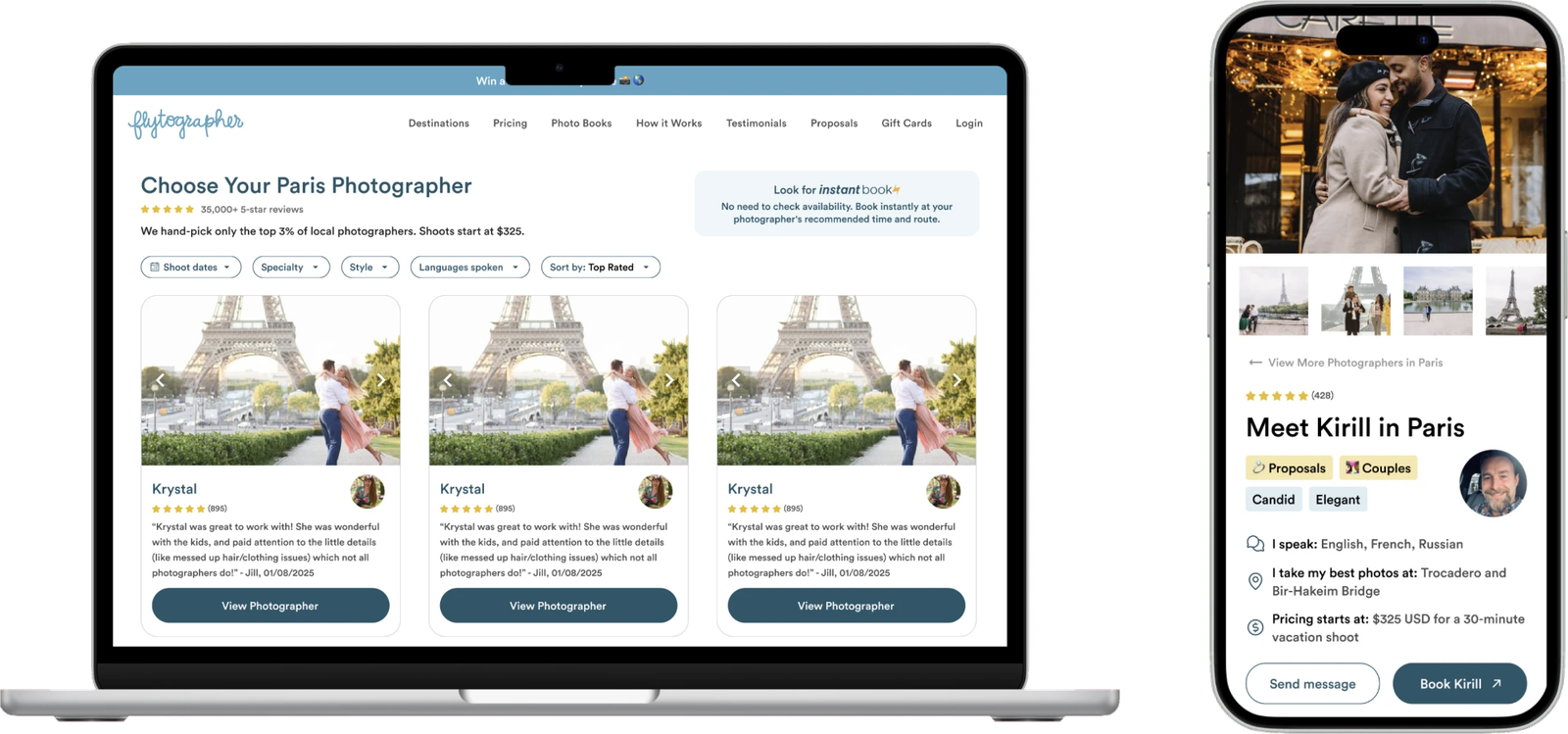
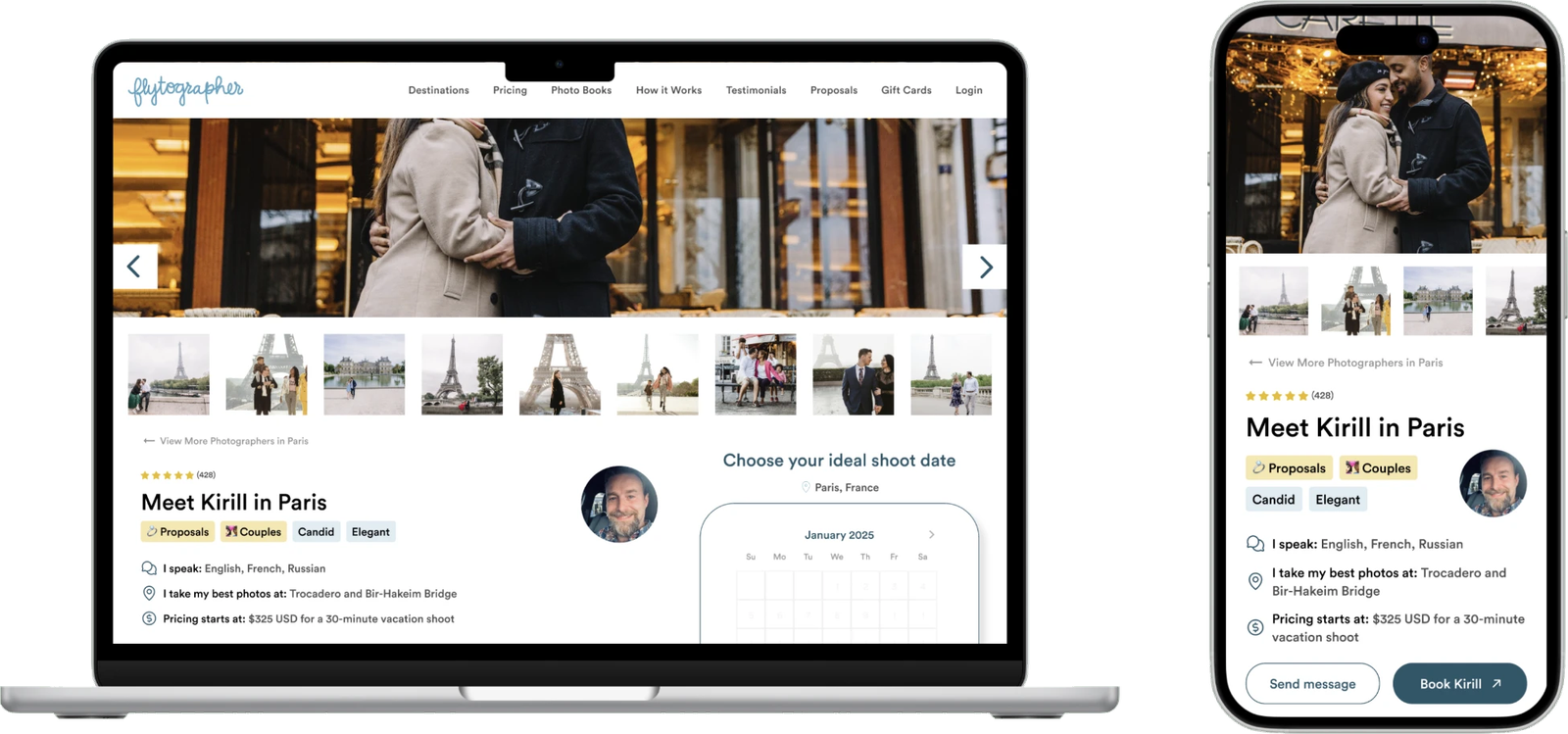


Recommended Flytographer photographer search on a laptop and photographer profile on a phone

Flytographer: A few customer conversations showed what to fix before they built it, saving hours of development

  • UX Research Study
  • Two-sided Marketplace
  • Responsive Web
  • 2025

Flytographer helps travelers book professional photographers to capture special moments on vacation. The site and brand were already well designed, but the content could confuse people who skimmed. I interviewed customers, found where they got stuck, and recommended targeted fixes.

The result: the team put a handful of the fixes live, and they brought me back for more consulting calls to help with future decisions.

Role
Product Designer (freelance)
Worked with
Founder, Product Lead
Scope
User interviews, usability testing, homepage and booking recommendations
Timeframe
Two weeks of research, January 2025

The challenge

Flytographer is a marketplace that helps travelers book professional photographers to capture special moments on vacation. It’s perfect for people who want more than just selfies. They want magazine-quality vacation photos.

The site and brand were already well designed, but from a content perspective, it had the potential to confuse or misdirect users who skimmed too much. When you’re selling an experience, especially one that has quite a few steps, clarity is everything.

The question: does the Flytographer homepage clearly communicate its value and make it easy for users to book a photographer?

What I learned in just four conversations

With no research tool or customer panel, I recruited four people who were planning a trip or looking back on one, and met each of them 1:1 on Zoom. I asked how they read the brand, what they expected, and where they hesitated while looking for a photographer, then pulled the patterns together.

2

weeks

4

Zoom interviews

9

recommendations

What was working

Participants found the service unique, well designed and easy to understand. The strong branding, partnerships and reviews built trust, and the professional imagery and well-organized photographer profiles made the site feel high-end and curated.

Finding 1

The booking process needs more visibility

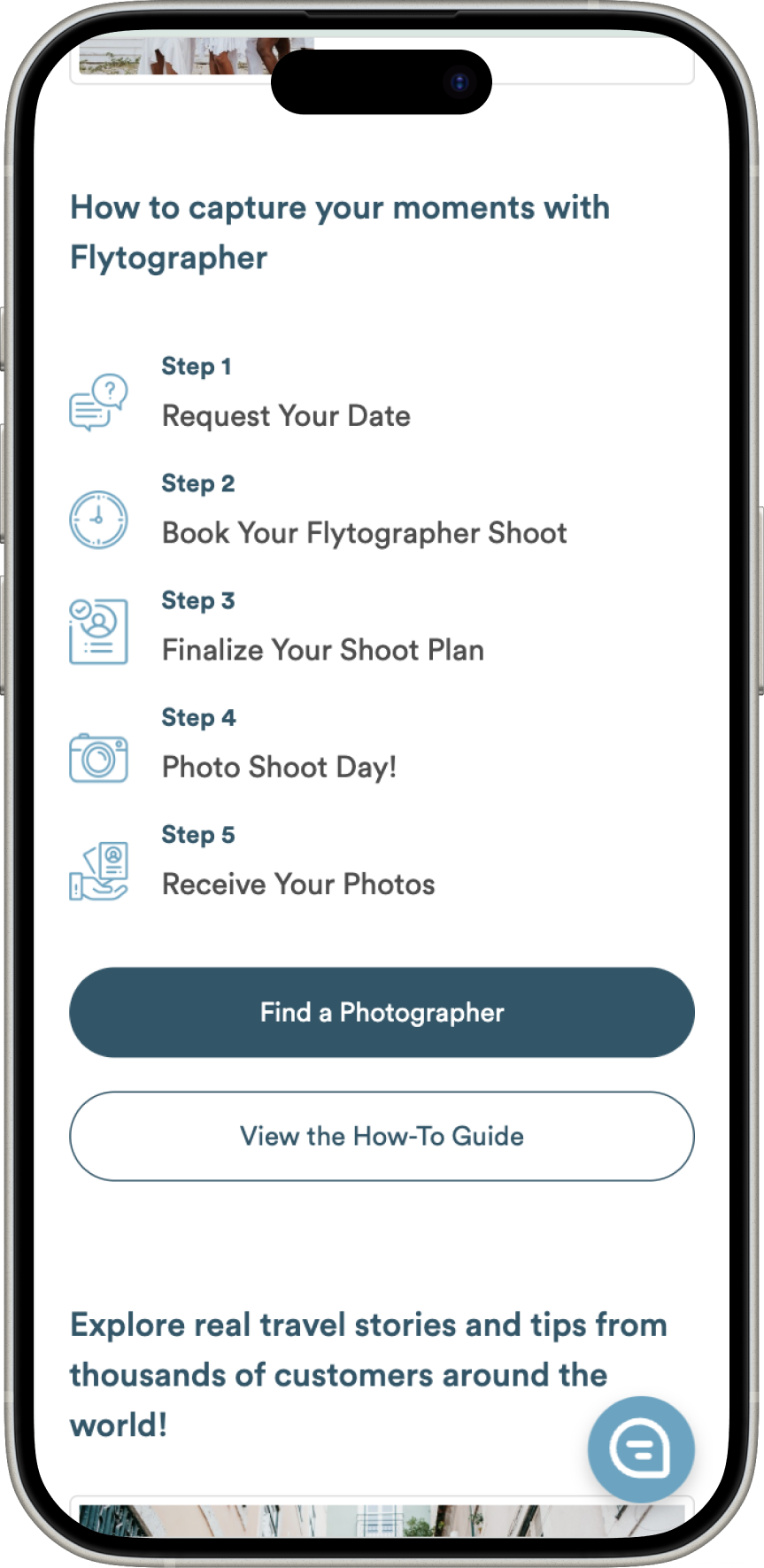
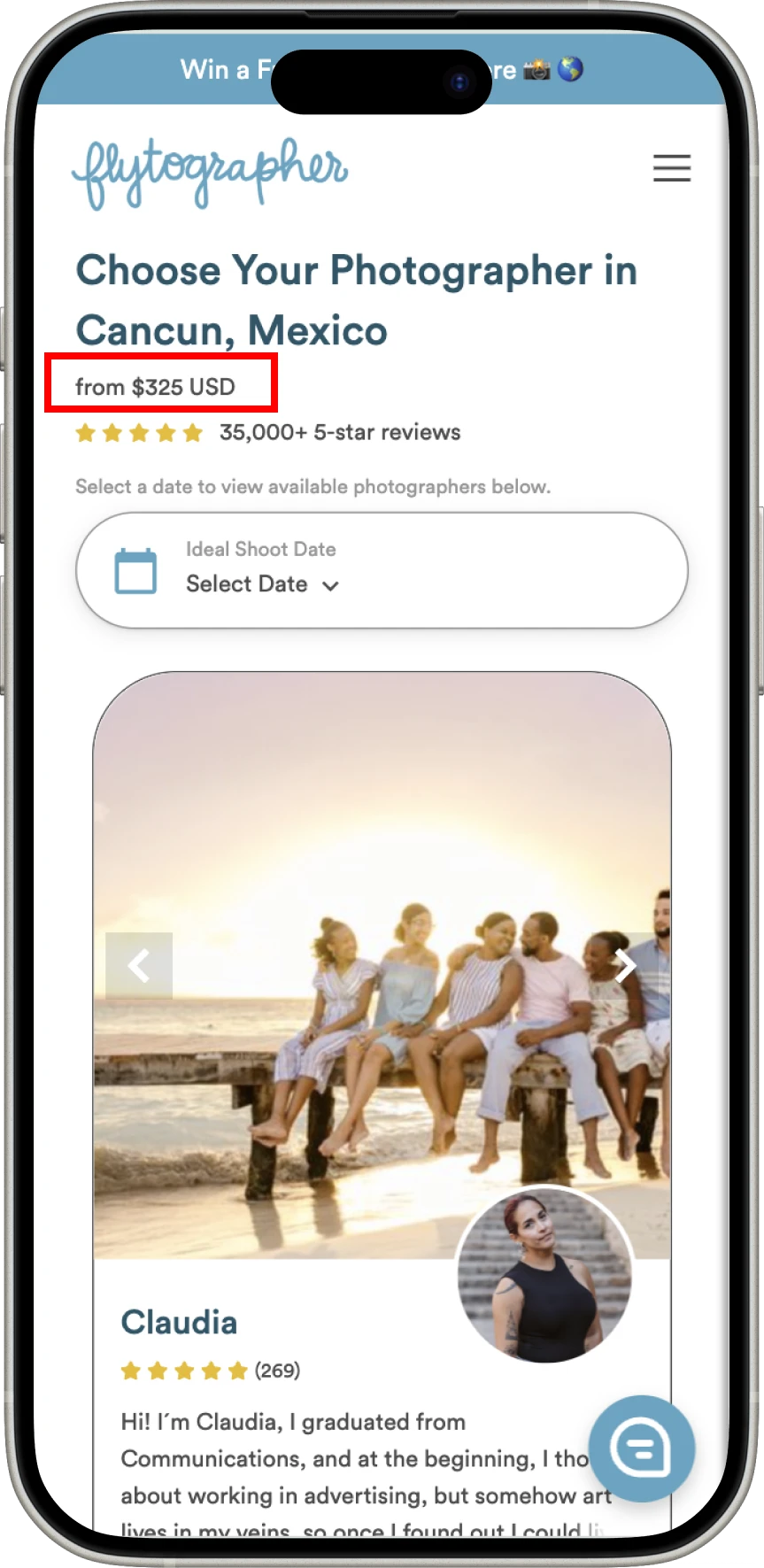
Many users missed the booking steps because they were buried too far down the page. They expected clearer guidance to understand the process earlier in their journey. Pricing was also unclear: is $325 a global starting price or location-specific? Some only realized the cost could vary after selecting a photographer.

Users who don’t immediately understand how to book may abandon the site before exploring photographers.

75%

took more time than preferred to find “How It Works”

“I had to scroll a lot before I even found the steps. I kept thinking, ‘How does this actually work?’”
Melissa, Colombia, 29

The Flytographer “How it works” steps, far down the page on a phone A Flytographer photographer page where the price is shown as “from $325 USD” on a phone

Recommendations

Make the steps and the price clear up front

Move “How It Works” higher on the homepage. Users should see clear steps within the first scroll.

Clarify the pricing structure. Make sure users understand upfront if the $325 is a baseline or location-dependent.

Consider a short onboarding stepper. A quick, interactive guide or inline explanation could preempt questions before users explore photographers.

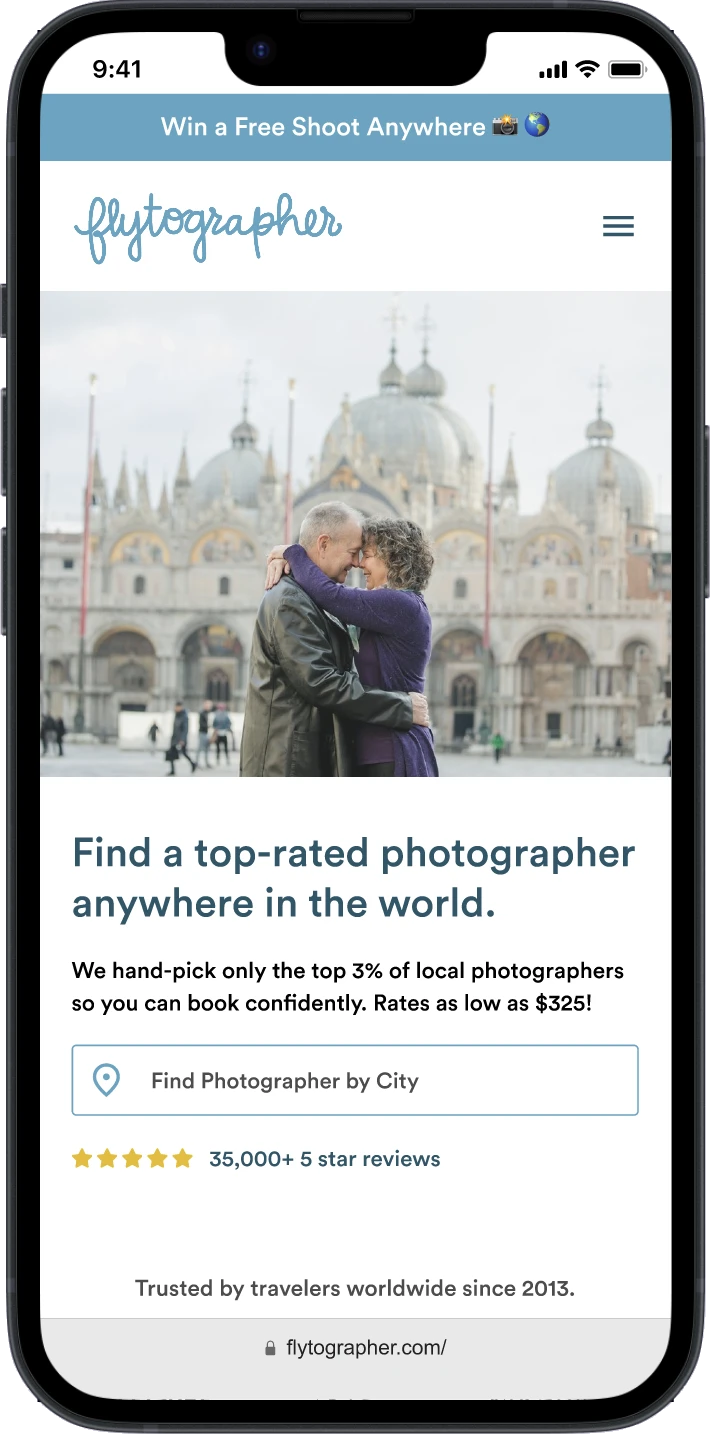
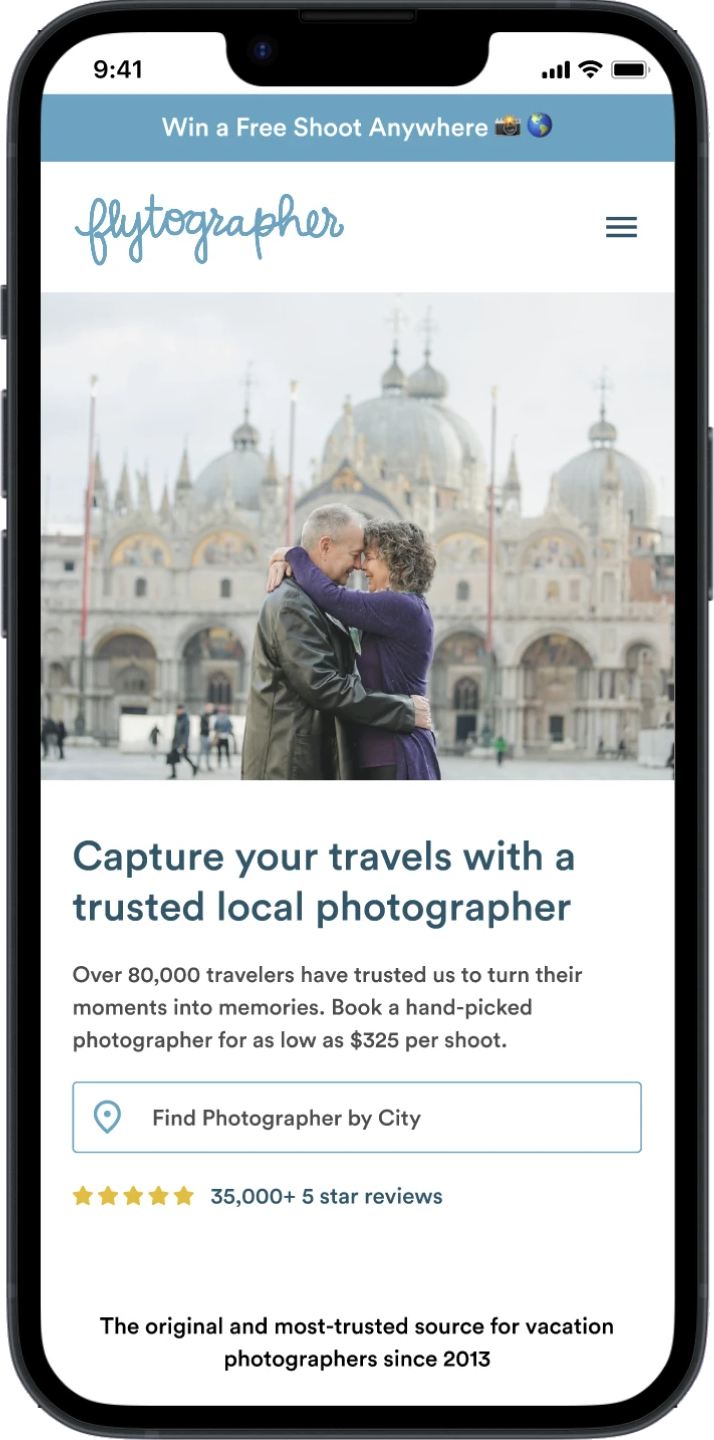
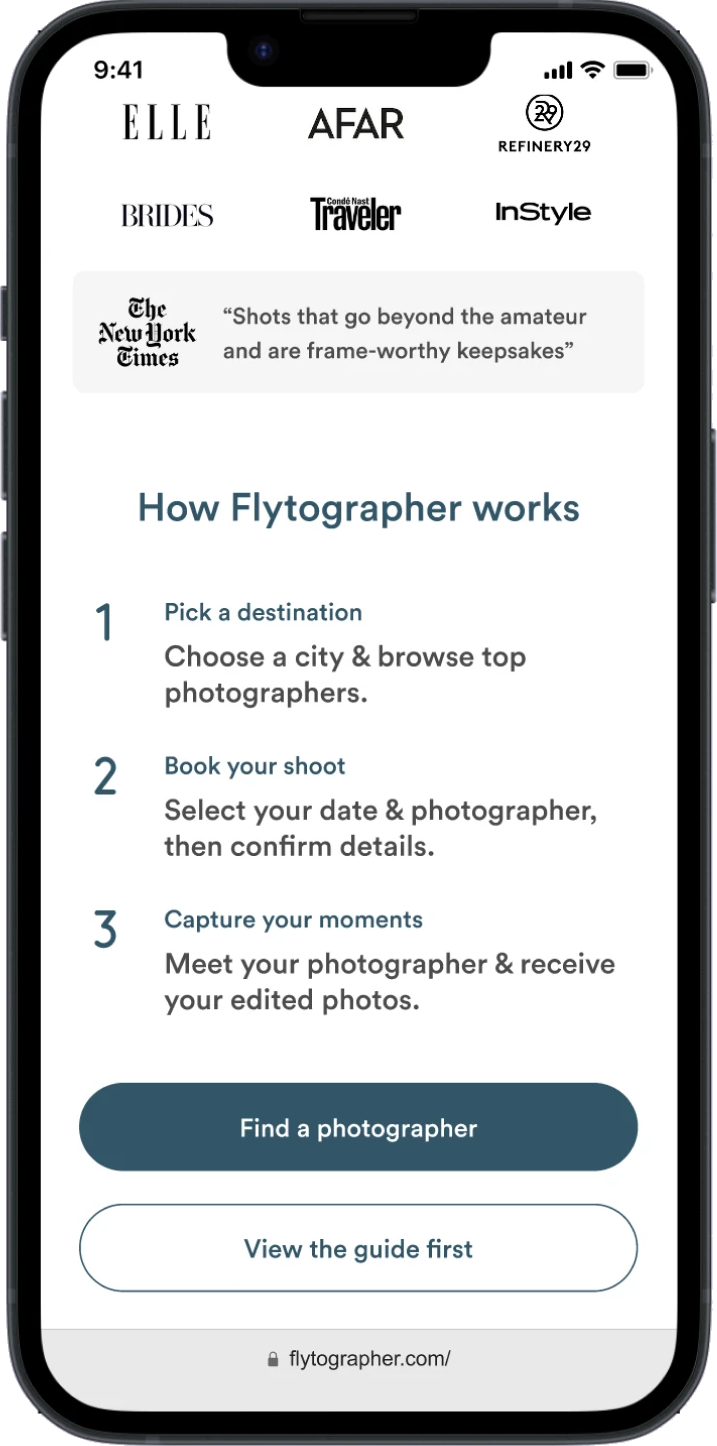
I mocked up two alternative heroes that keep the focus on trust, simplicity and affordability while making sure users know the global starting price, with “How It Works” right below the press logos.

Recommended hero: “Find a top-rated photographer anywhere in the world” on a phone Recommended hero: “Capture your travels with a trusted local photographer” on a phone Recommended “How Flytographer works” in three steps, right below the press logos, on a phone

Finding 2

Users need better photographer filtering and selection

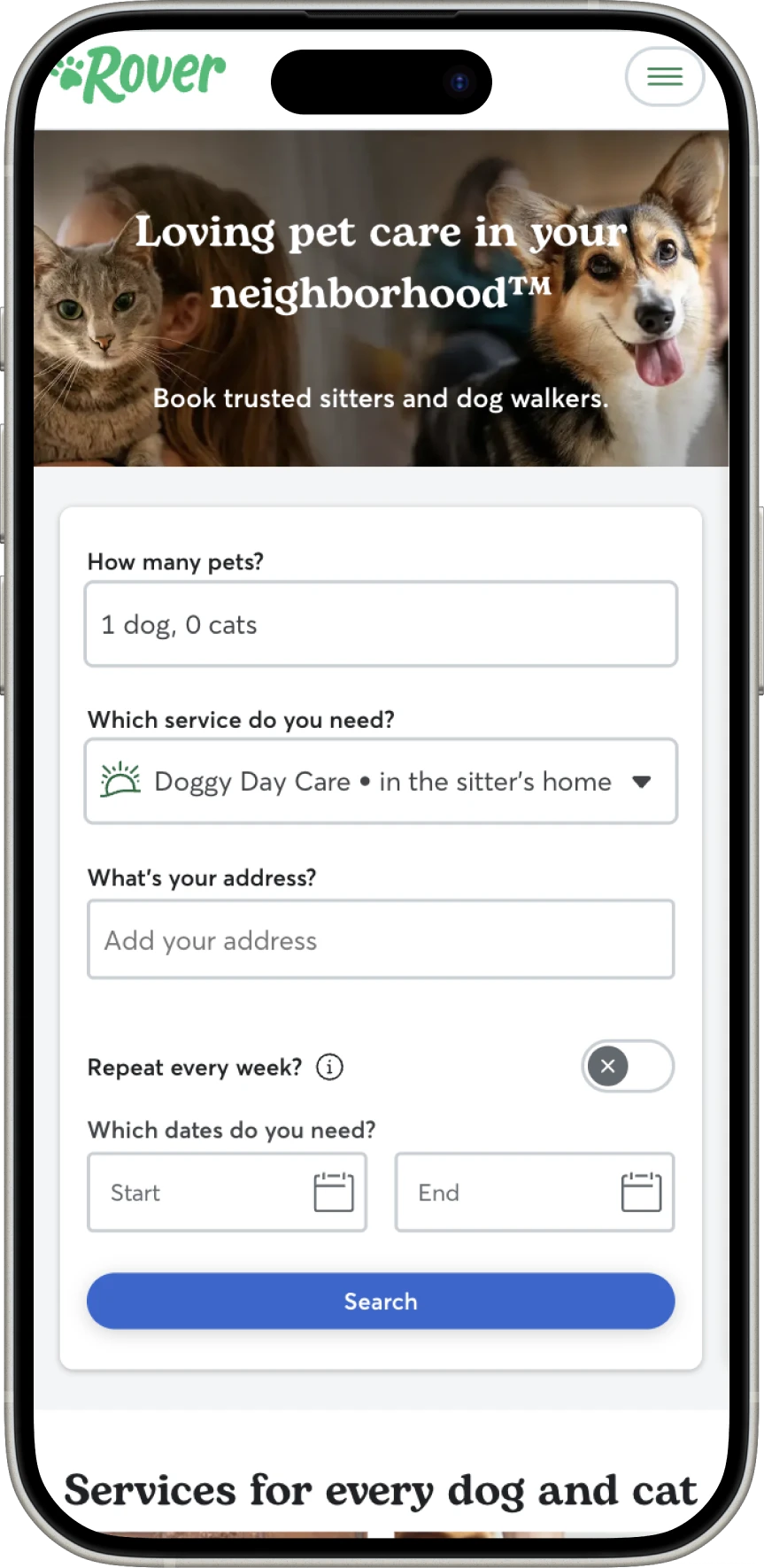
Participants relied heavily on reviews because other differentiators weren’t obvious. Many wanted filters for photographer specialties, like couples, families and solo travelers, to make selection easier. Without them, users have to browse multiple profiles one by one, and selection feels overwhelming.

100%

wanted additional ways to filter photographers beyond reviews

“I wish I could filter by what kind of shoot I want, like family, couples, solo. Right now, I have to guess if a photographer specializes in that.”
Julia, Los Angeles, 31

Rover’s sitter search, a filter pattern participants could picture for photographers, on a phone A Flytographer photographer profile on a phone

Recommendations

Help people choose faster

Introduce specialty filters. Allow users to search by photographer expertise, like proposals, families and solo travel.

Surface “top-rated” or “recommended” photographers. Help users quickly identify trusted options without only relying on review counts.

Add value props and move more above the fold to optimize the page as a landing page for conversion.

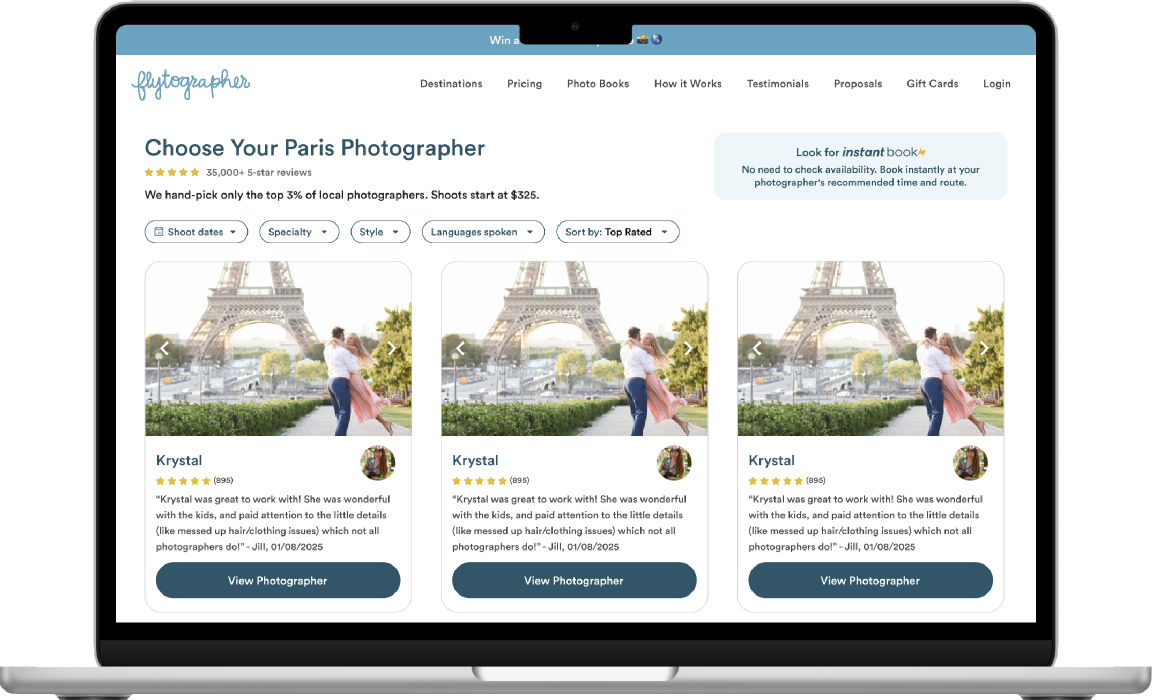
Visible filters and sort options on desktop and mobile improve usability, testimonials and key value props build trust, a prominent Instant Book badge encourages engagement, and a horizontal scroll on mobile makes it easier to see more people at a glance.

Recommended photographer search with filters, sort and an Instant Book note, on a laptop Recommended photographer search on a phone

Bolder imagery, and filtering that starts on the homepage

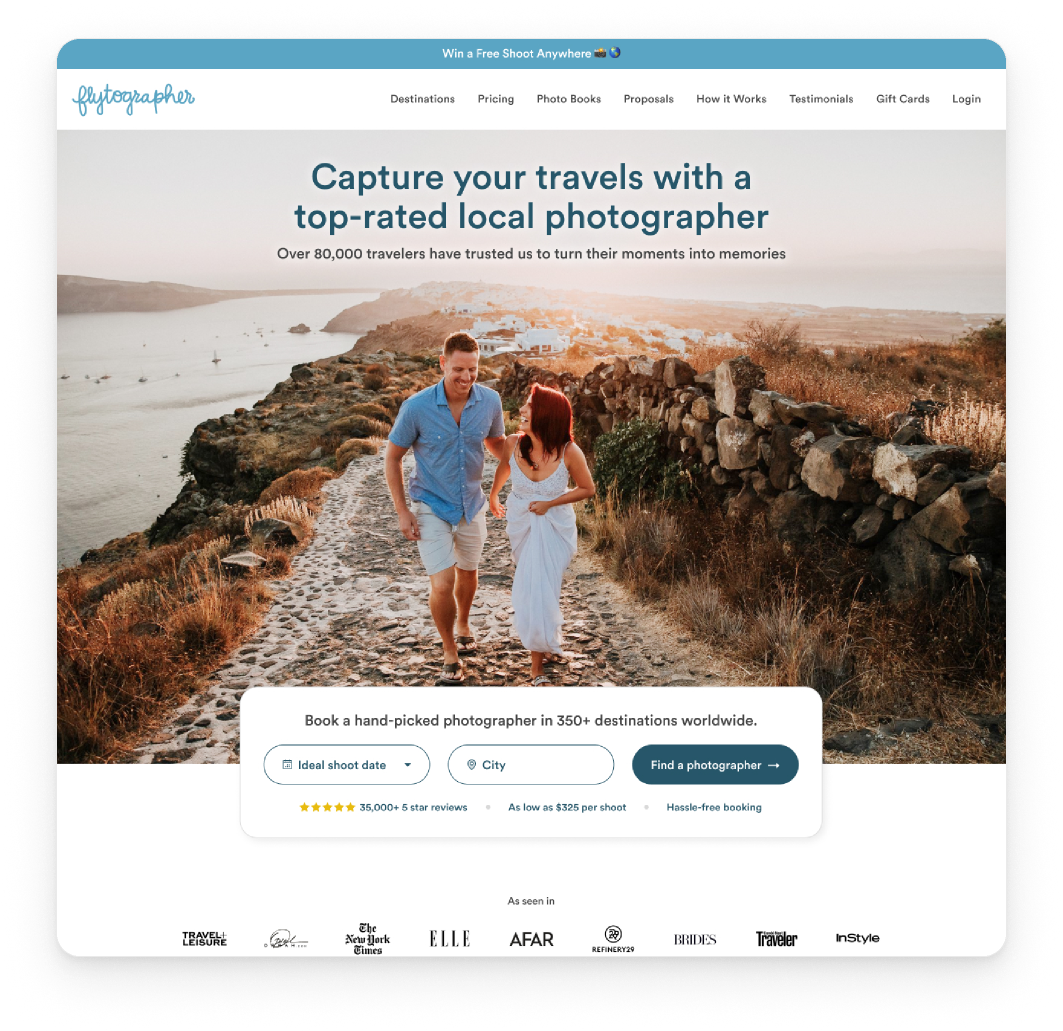
I also showed how a bigger impact could come from bolder imagery and the ability to begin the filtering process right on the homepage, beyond choosing a city.

Recommended homepage with a full-bleed photo and a booking bar for date and city

Finding 3

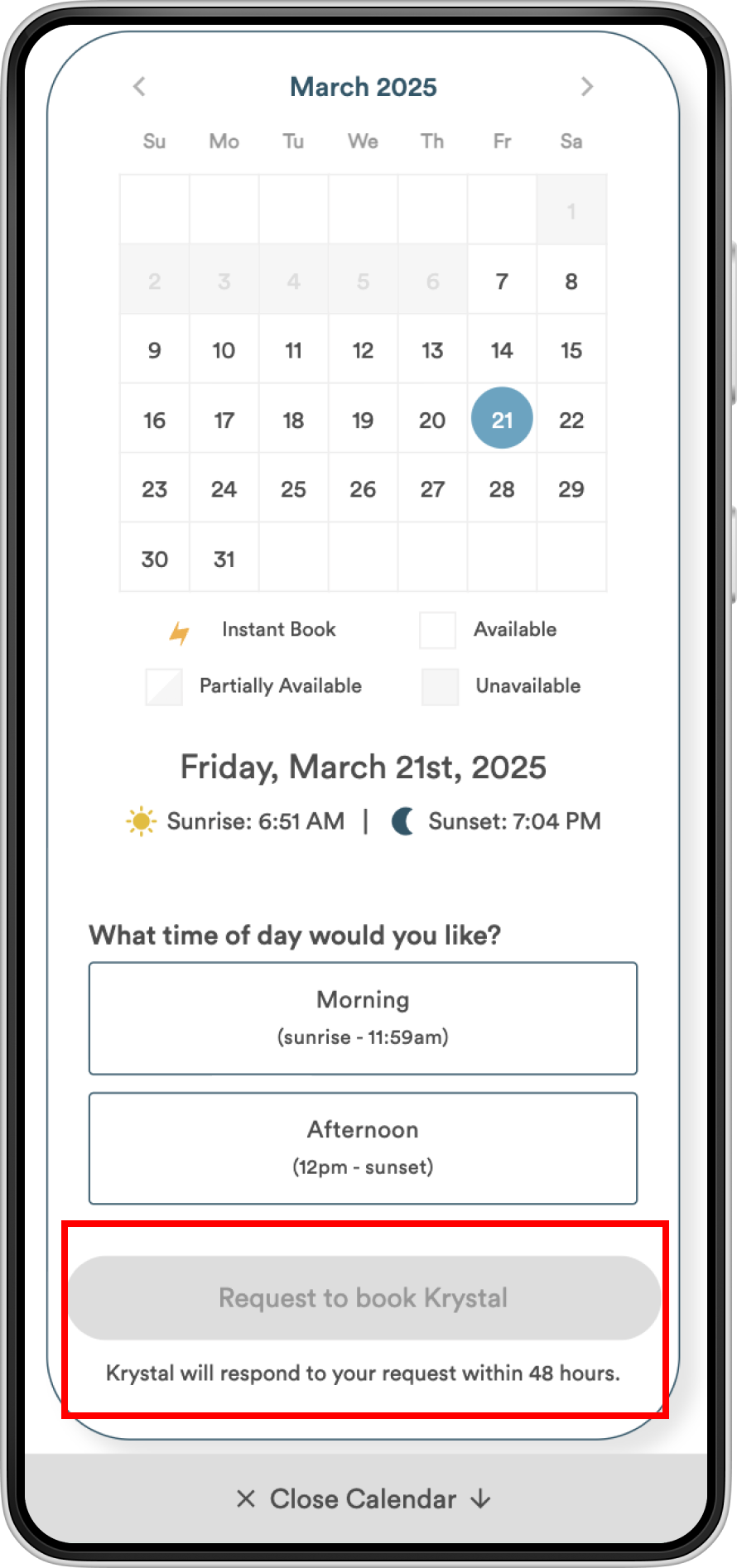
Uncertainty about meeting points and response times caused some friction

Participants had questions about locations, shoot expectations and logistics before committing. They weren’t sure whether photographers only shoot at their “favorite places” or whether they could choose their own locations, and some worried about travel in large cities. Some wanted a way to message photographers before requesting to book.

50%

were unclear on shoot details, like where photographers meet clients

The Flytographer date and time picker on a phone

Recommendations

Answer logistics before people have to ask

Improve location details. Clarify whether photographers allow flexible locations or only shoot at listed places.

Set expectations for response times. Include “typical response time” indicators so users know when to expect confirmation.

Consider pre-booking messaging. A simple Q&A option for users to ask quick questions before committing to a booking.

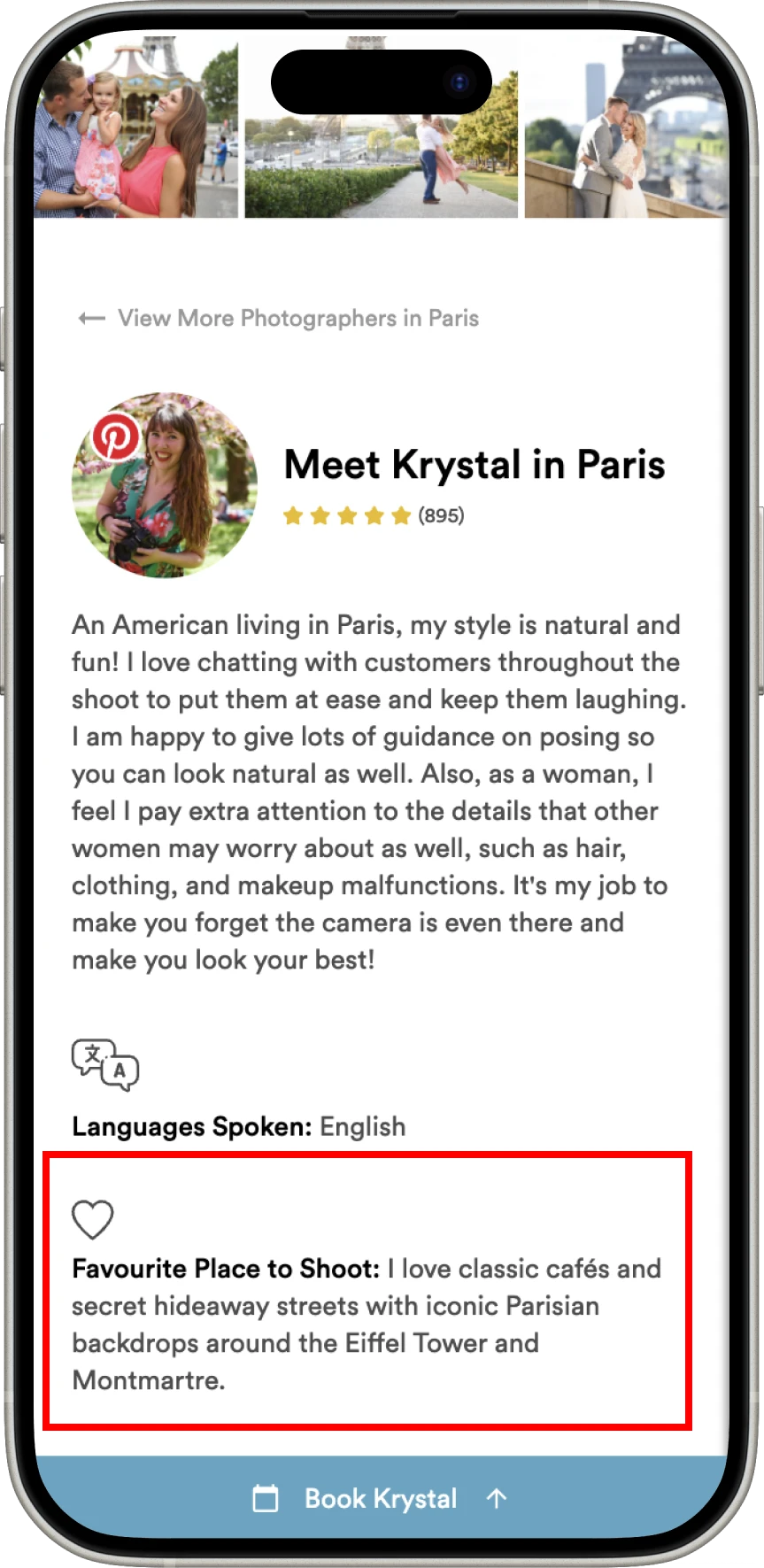
On the profile, I highlighted specialties and styles, languages and prices upfront, made it easier to browse images with scrollable carousels, and added a way to send a message and ask questions before booking.

Recommended photographer profile on a laptop and a phone

Staying on as a sounding board

I didn’t just throw ideas at the wall. Everything I recommended was backed by user research and strategic thinking, and sharing what users said helped the team prioritize their roadmap, cut through internal debates and focus on what customers wanted.

After the readout, the team kept me close for the decisions that came next. I helped them choose what to test and set each test up so the results would be clear: one change at a time, with consistent wording from the button to the page. I pointed out risks they might not see, like how a new link can pull people away from booking, and when a bigger change deserved another round of user testing before anyone built it.

On the booking page, I brought it back to the simplest question: what can someone see immediately, without scrolling? My advice was to put the most important options above the fold, since that was likely to move bookings more than any new feature, and to weigh each idea against what their customers care about most, like how close a photographer is to their hotel.

What the team said

The team put a handful of the fixes live, and they came back to me for more consulting calls to help with future decisions.

The team didn’t run controlled A/B tests, so I don’t have numbers to share.

“She is an expert in her craft and always takes the time to make the best recommendations. Whether she’s conducting user research for our team, reviewing our existing content for improvements, or giving feedback on our in progress mockups, Jessica’s contributions are always thoughtful and impactful.”

Caitlin IngProduct Lead, Flytographer

What I'd bring to your team

I get real answers on a small budget.

I recruit participants, run the sessions and synthesize the patterns, without a research tool or a customer panel.

I turn insights into designs you can react to.

Every finding comes with a mock-up of how it could change the product, so the team can debate a design instead of an opinion.

I help you test one thing at a time.

Small, targeted changes with consistent wording, so you can tell what actually moved the numbers.

If this sounds like you

Your customers are getting stuck somewhere, and you don't know where. Your budget is real, and every decision counts. I work with early-stage founders as a fractional founding designer: research, scope, design and a handoff your engineers can run with, at the level of involvement your budget allows.

Book a free discovery call

Keep reading

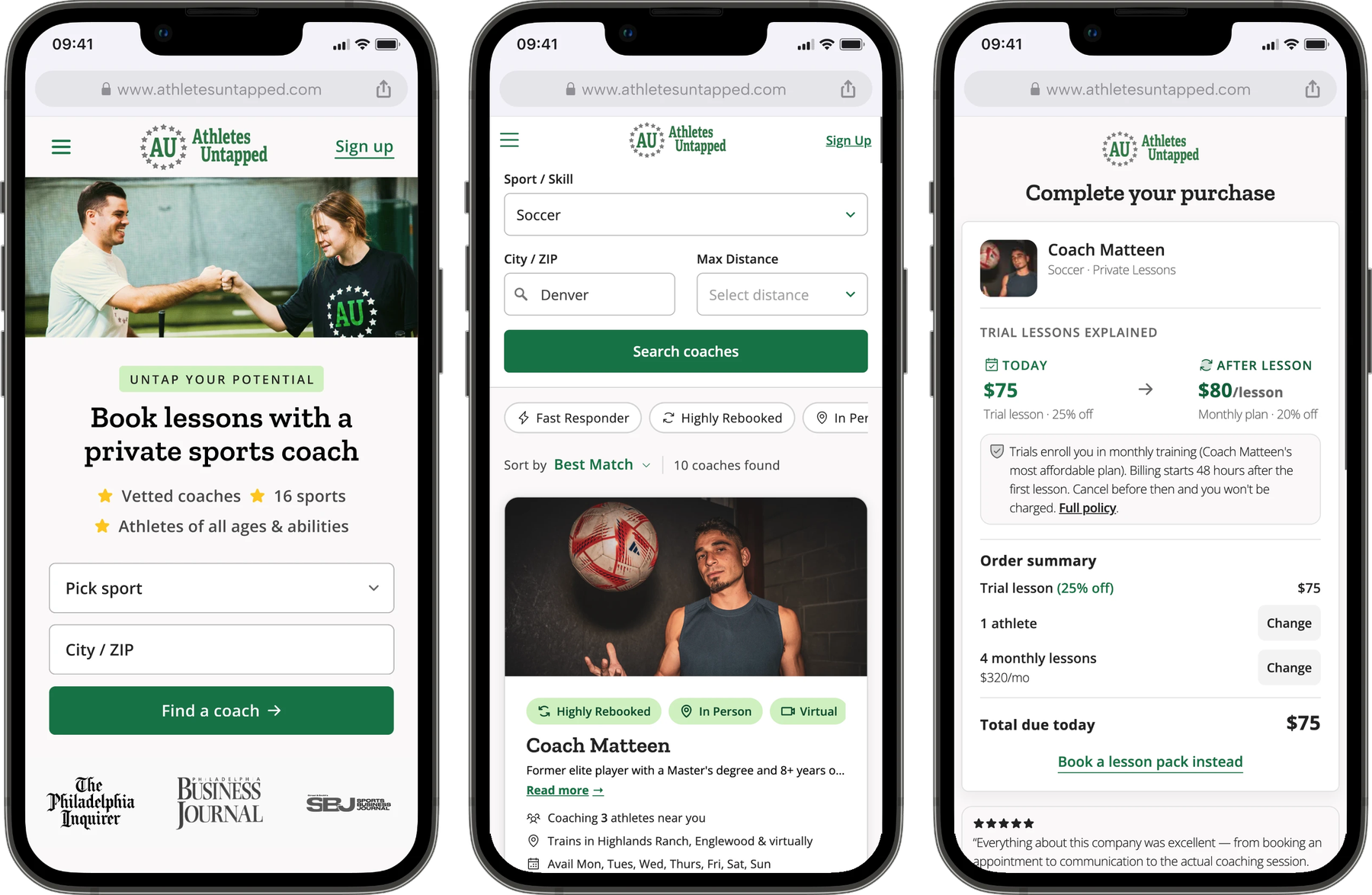
Rebuilding a coaching marketplace around trust, so parents book with confidence

Overhauled a sports coaching marketplace while keeping its original vibe, then followed up with a new checkout and coach profiles and search that give parents everything they need before booking.

Read case study
Bookings after redesign

5x

Conversions after relaunch

~15%

Boosting Gusto.com's signup funnel via iterative testing

Introduced a password-free lead form and tailored content, increasing visits converting to leads by 15% and boosting sign-ups by 25%.

Read case study

Visit-to-lead CvR

+15%

Sign-up increase

+25%